1be84f1769
Same three-step recipe applied to each grid-component type:

  (a) wrap body in <ComponentThemeProvider layoutId={id}>
  (b) add "Apply theme" item to the component's menu via
      ComponentHeaderControls
  (c) mount <ThemeSelectorModal> gated on editMode

- TabsRenderer (4b): wraps StyledTabsContainer; dots menu lands in the
  existing left HoverMenu next to drag/delete.
- Row (4c): wraps WithPopoverMenu body; dots menu in the left HoverMenu
  next to drag/delete/setting-icon. The existing gear icon (opens the
  BackgroundStyleDropdown focus popover) is preserved as-is.
- Column (4d): same recipe as Row, top-positioned HoverMenu.
- Markdown (4e): class component, so themeModalOpen lives on
  this.state. Dots menu lands inside the existing WithPopoverMenu
  menuItems array next to MarkdownModeDropdown; the Edit/Preview
  toggle is intentionally preserved unchanged.

Note on scope: the SIP originally imagined Phase 4 would also converge
MarkdownModeDropdown and the Row/Column gear icon onto the shared dots
menu. Those user-visible UX displacements are intentionally deferred
so this phase adds the theming affordance *additively* — every existing
menu control is untouched. The menu-pattern unification can be picked
up later without coupling it to theming.

Functional outcome: every grid-component type (Chart, Markdown, Row,
Column, Tabs) now supports the full inheritance chain end-to-end:
Instance -> Dashboard -> Tab -> Row/Col -> Chart/Markdown. Setting a
themeId at any level applies to that subtree; clearing it falls
through to the parent.

Co-Authored-By: Claude Sonnet 4.6 <noreply@anthropic.com>
Superset













A modern, enterprise-ready business intelligence web application.
Documentation
- User Guide — For analysts and business users. Explore data, build charts, create dashboards, and connect databases.
- Administrator Guide — Install, configure, and operate Superset. Covers security, scaling, and database drivers.
- Developer Guide — Contribute to Superset or build on its REST API and extension framework.
Why Superset? | Supported Databases | Release Notes | Get Involved | Resources | Organizations Using Superset
Why Superset?
Superset is a modern data exploration and data visualization platform. Superset can replace or augment proprietary business intelligence tools for many teams. Superset integrates well with a variety of data sources.
Superset provides:
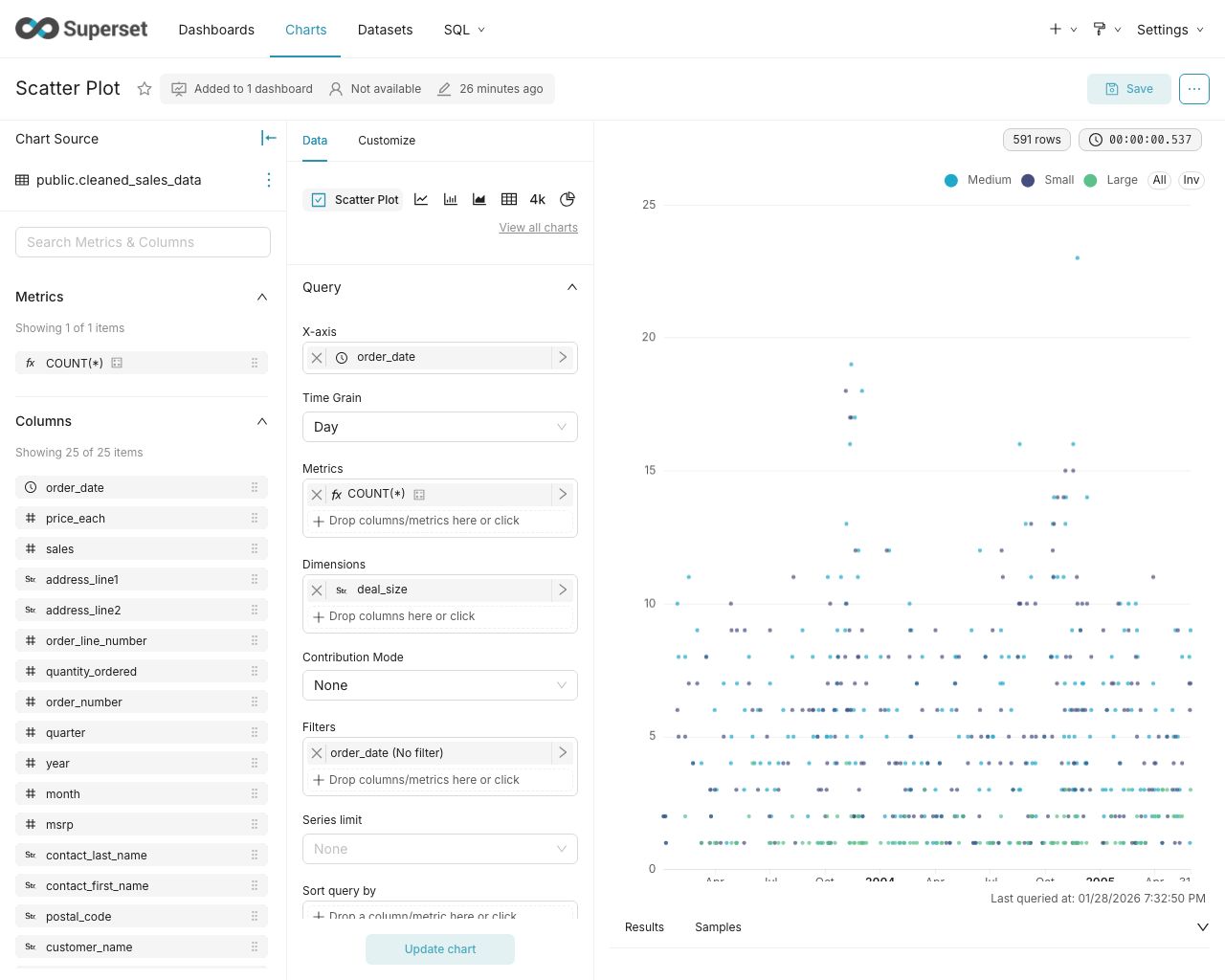
- A no-code interface for building charts quickly
- A powerful, web-based SQL Editor for advanced querying
- A lightweight semantic layer for quickly defining custom dimensions and metrics
- Out of the box support for nearly any SQL database or data engine
- A wide array of beautiful visualizations to showcase your data, ranging from simple bar charts to geospatial visualizations
- Lightweight, configurable caching layer to help ease database load
- Highly extensible security roles and authentication options
- An API for programmatic customization
- A cloud-native architecture designed from the ground up for scale
Screenshots & Gifs
Video Overview
Large Gallery of Visualizations

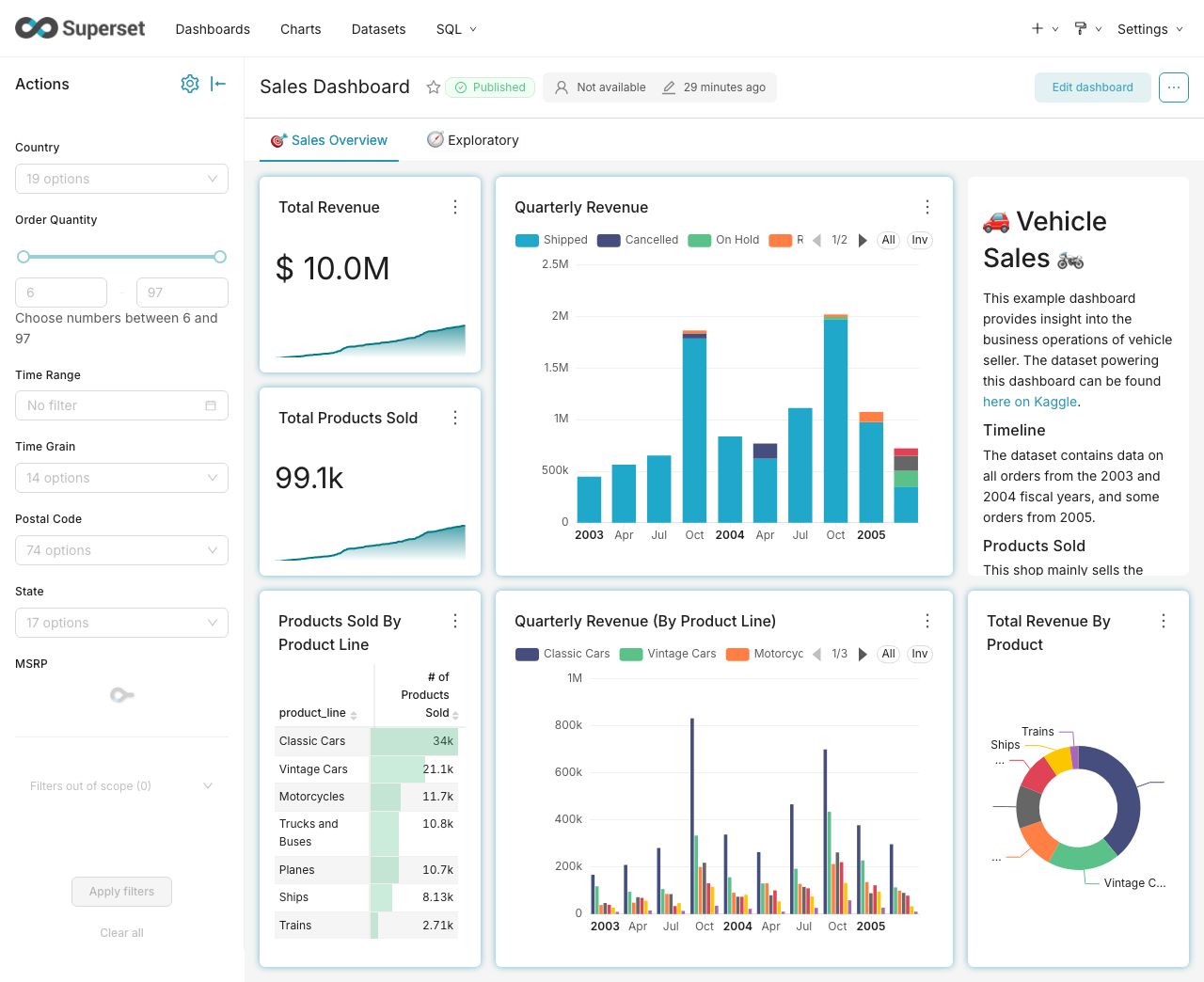
Craft Beautiful, Dynamic Dashboards
No-Code Chart Builder
Powerful SQL Editor

Supported Databases
Superset can query data from any SQL-speaking datastore or data engine (Presto, Trino, Athena, and more) that has a Python DB-API driver and a SQLAlchemy dialect.
Here are some of the major database solutions that are supported:


A more comprehensive list of supported databases along with the configuration instructions can be found here.
Want to add support for your datastore or data engine? Read more here about the technical requirements.
Installation and Configuration
Try out Superset's quickstart guide or learn about the options for production deployments.
Get Involved
- Ask and answer questions on StackOverflow using the apache-superset tag
- Join our community's Slack and please read our Slack Community Guidelines
- Join our dev@superset.apache.org Mailing list. To join, simply send an email to dev-subscribe@superset.apache.org
- If you want to help troubleshoot GitHub Issues involving the numerous database drivers that Superset supports, please consider adding your name and the databases you have access to on the Superset Database Familiarity Rolodex
- Join Superset's Town Hall and Operational Model recurring meetings. Meeting info is available on the Superset Community Calendar
Contributor Guide
Interested in contributing? Check out our Developer Guide to find resources around contributing along with a detailed guide on how to set up a development environment.
Resources
- Superset "In the Wild" - see who's using Superset, and add your organization to the list!
- Feature Flags - the status of Superset's Feature Flags.
- Standard Roles - How RBAC permissions map to roles.
- Superset Wiki - Tons of additional community resources: best practices, community content and other information.
- Superset SIPs - The status of Superset's SIPs (Superset Improvement Proposals) for both consensus and implementation status.
Understanding the Superset Points of View
-
Getting Started with Superset
-
Deploying Superset
-
Recordings of Past Superset Community Events
-
Visualizations
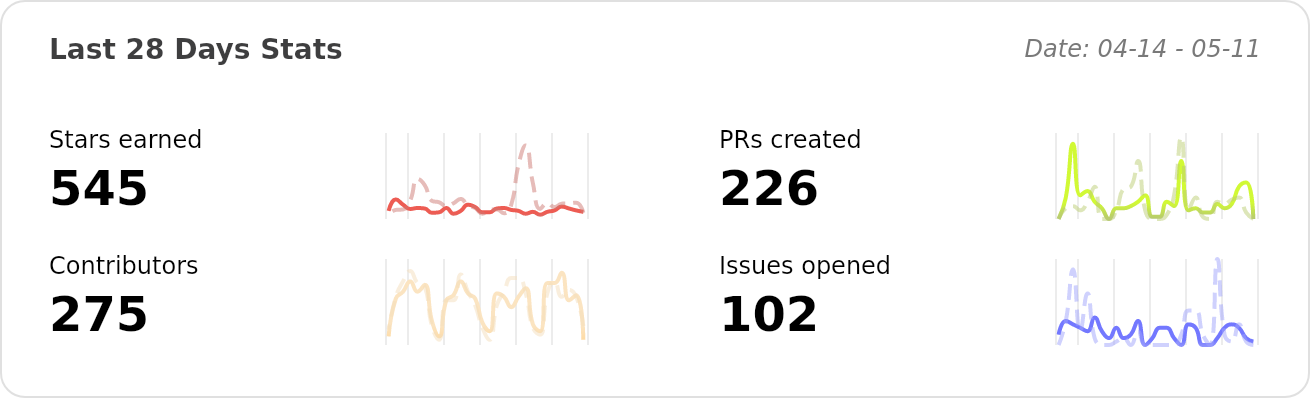
Repo Activity