4381fd97ea
The local-extensions watcher previously surfaced spurious reloads under Docker on macOS (VirtioFS / osxfs generates inotify events on every read, not just writes), and rebuilds that wrote many files at once produced one restart per file. It also touched superset/__init__.py to trigger Flask's reloader, which then meant any Python read of that file also looked like a change and recursed.

Changes:

- Watcher only acts on FileCreated/Modified/Moved events, verifies the file content actually changed via SHA-256, and debounces to one trigger per second.
- Use a dedicated sentinel file (superset/extensions/.reload_trigger) that Python never reads, registered with Flask via --extra-files. The watcher ensures the sentinel exists on startup.
- Bootstrap excludes superset/__init__.py from the file watcher so the old trigger path can't reintroduce the loop.
- docker-compose mounts ./local_extensions:/app/local_extensions so the bind path matches LOCAL_EXTENSIONS in the dev superset_config.
- Extension content endpoint and FRONTEND_REGEX accept nested paths inside frontend/dist so extensions can serve worker / WASM / chunk subfolders.

Co-Authored-By: Claude Opus 4.7 <noreply@anthropic.com>
Superset













A modern, enterprise-ready business intelligence web application.
Documentation
- User Guide — For analysts and business users. Explore data, build charts, create dashboards, and connect databases.
- Administrator Guide — Install, configure, and operate Superset. Covers security, scaling, and database drivers.
- Developer Guide — Contribute to Superset or build on its REST API and extension framework.
Why Superset? | Supported Databases | Release Notes | Get Involved | Resources | Organizations Using Superset
Why Superset?
Superset is a modern data exploration and data visualization platform. Superset can replace or augment proprietary business intelligence tools for many teams. Superset integrates well with a variety of data sources.
Superset provides:
- A no-code interface for building charts quickly
- A powerful, web-based SQL Editor for advanced querying
- A lightweight semantic layer for quickly defining custom dimensions and metrics
- Out of the box support for nearly any SQL database or data engine
- A wide array of beautiful visualizations to showcase your data, ranging from simple bar charts to geospatial visualizations
- Lightweight, configurable caching layer to help ease database load
- Highly extensible security roles and authentication options
- An API for programmatic customization
- A cloud-native architecture designed from the ground up for scale
Screenshots & Gifs
Video Overview
Large Gallery of Visualizations

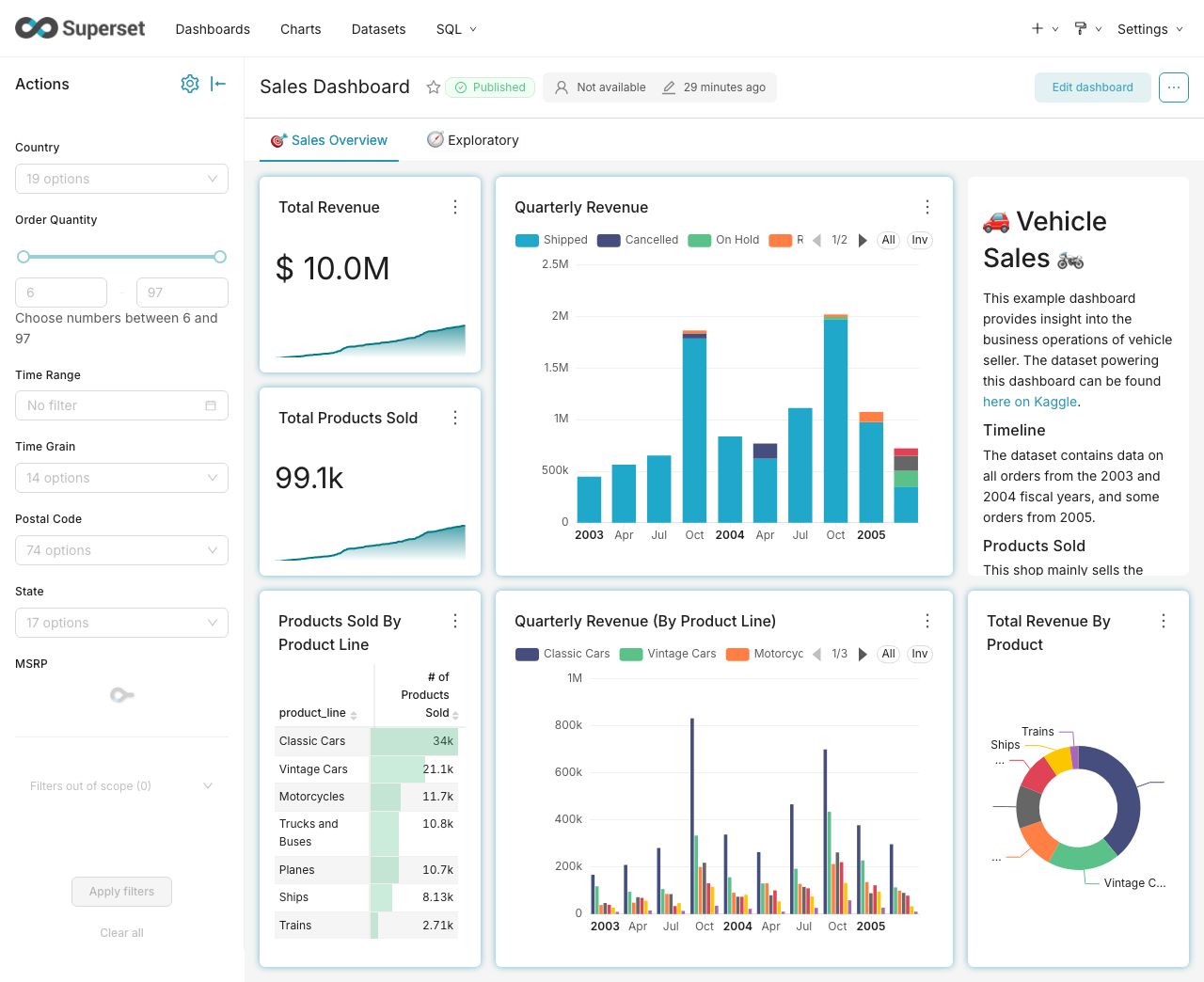
Craft Beautiful, Dynamic Dashboards
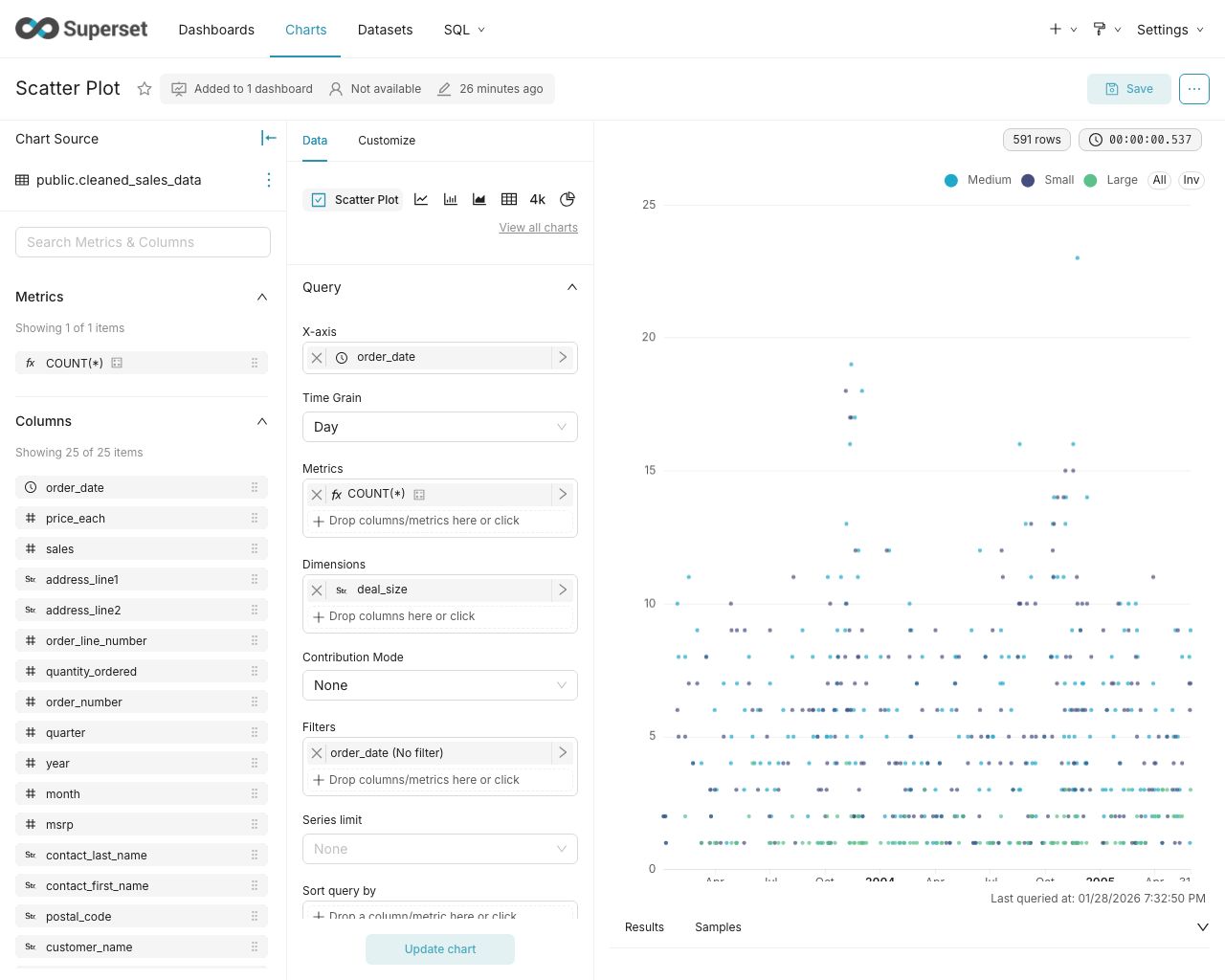
No-Code Chart Builder
Powerful SQL Editor

Supported Databases
Superset can query data from any SQL-speaking datastore or data engine (Presto, Trino, Athena, and more) that has a Python DB-API driver and a SQLAlchemy dialect.
Here are some of the major database solutions that are supported:




A more comprehensive list of supported databases along with the configuration instructions can be found here.
Want to add support for your datastore or data engine? Read more here about the technical requirements.
Installation and Configuration
Try out Superset's quickstart guide or learn about the options for production deployments.
Get Involved
- Ask and answer questions on StackOverflow using the apache-superset tag
- Join our community's Slack and please read our Slack Community Guidelines
- Join our dev@superset.apache.org Mailing list. To join, simply send an email to dev-subscribe@superset.apache.org
- If you want to help troubleshoot GitHub Issues involving the numerous database drivers that Superset supports, please consider adding your name and the databases you have access to on the Superset Database Familiarity Rolodex
- Join Superset's Town Hall and Operational Model recurring meetings. Meeting info is available on the Superset Community Calendar
Contributor Guide
Interested in contributing? Check out our Developer Guide to find resources around contributing along with a detailed guide on how to set up a development environment.
Resources
- Superset "In the Wild" - see who's using Superset, and add your organization to the list!
- Feature Flags - the status of Superset's Feature Flags.
- Standard Roles - How RBAC permissions map to roles.
- Superset Wiki - Tons of additional community resources: best practices, community content and other information.
- Superset SIPs - The status of Superset's SIPs (Superset Improvement Proposals) for both consensus and implementation status.
Understanding the Superset Points of View
-
Getting Started with Superset
-
Deploying Superset
-
Recordings of Past Superset Community Events
-
Visualizations
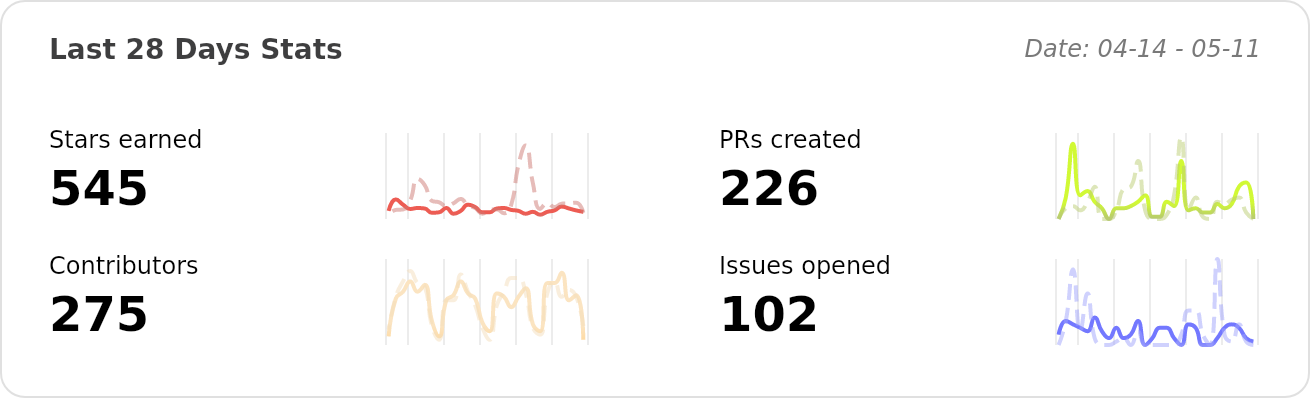
Repo Activity