 Superset Dev
770dd5caef
Superset Dev
770dd5caef
Stacked on feat/testcontainers-nightly-only-gating. All six extras already
existed in pyproject.toml. oceanbase and vertica run nightly_only: true
(heavy first-boot and a ~12GB RAM floor, respectively), so they don't run
per-PR; databend/risingwave/firebird/ydb run on every PR like the rest of
this suite.

- oceanbase_py pins sqlalchemy-utils<0.39, which conflicts outright with
  Superset's own sqlalchemy-utils==0.42.1 pin -- kept out of the baseline
  dev install (same reason as db2's ibm-db-sa) and installed on demand,
  --no-deps, only for its own CI leg (it never actually imports
  sqlalchemy_utils itself, so the version mismatch is inert at runtime).
- databend: connects to the local standalone image's builtin `root` user
  (no password) with sslmode=disable, since Superset's default
  encryption_parameters assume TLS the local image doesn't have.
- risingwave: RisingWave's storage engine checkpoints asynchronously --
  a SELECT immediately after INSERT can see zero rows without an explicit
  FLUSH (confirmed on a real instance). Uses the shared _pagination.py
  helper's after_insert hook (originally added for CrateDB) to do that.
- firebird: sqlalchemy-firebird's driver is a pure-Python ctypes wrapper
  (py3-none-any wheel, confirmed by downloading it directly) that
  dynamically loads the native libfbclient from the host rather than
  bundling it -- CI installs that system package on demand. Also confirms
  in the test docstring that FirebirdEngineSpec's `limit_method =
  LimitMethod.FETCH_MANY` (comment: "uses FIRST to limit") is stale
  against the modern driver, which compiles real ROWS-based pagination.
- ydb: needed three real fixes to make a generic DockerContainer usable
  at all. (1) YDB's gRPC client does endpoint discovery and reconnects to
  whatever the server reports, which by default is the container's own
  internal Docker hostname -- fixed by binding the same port on the host
  as inside the container and advertising "localhost" as the container's
  own hostname, so the discovered endpoint is actually reachable. (2) The
  gRPC port opens before storage pools are fully initialized, so an early
  CREATE TABLE fails; the fixture retries a real metadata.create_all()
  probe rather than trusting the open port. (3) YDB rejects DDL inside an
  explicit transaction ("Scheme operations cannot be executed inside
  transaction") -- confirmed this only affects a raw text("CREATE
  TABLE..."), not metadata.create_all()'s own DDL execution path, which
  already does the right thing.
Superset















A modern, enterprise-ready business intelligence web application.
Documentation
- User Guide — For analysts and business users. Explore data, build charts, create dashboards, and connect databases.
- Administrator Guide — Install, configure, and operate Superset. Covers security, scaling, and database drivers.
- Developer Guide — Contribute to Superset or build on its REST API and extension framework.
Why Superset? | Supported Databases | Release Notes | Get Involved | Resources | Organizations Using Superset
Why Superset?
Superset is a modern data exploration and data visualization platform. Superset can replace or augment proprietary business intelligence tools for many teams. Superset integrates well with a variety of data sources.
Superset provides:
- A no-code interface for building charts quickly
- A powerful, web-based SQL Editor for advanced querying
- A lightweight semantic layer for quickly defining custom dimensions and metrics
- Out of the box support for nearly any SQL database or data engine
- A wide array of beautiful visualizations to showcase your data, ranging from simple bar charts to geospatial visualizations
- Lightweight, configurable caching layer to help ease database load
- Highly extensible security roles and authentication options
- An API for programmatic customization
- A cloud-native architecture designed from the ground up for scale
Screenshots & Gifs
Video Overview
Large Gallery of Visualizations

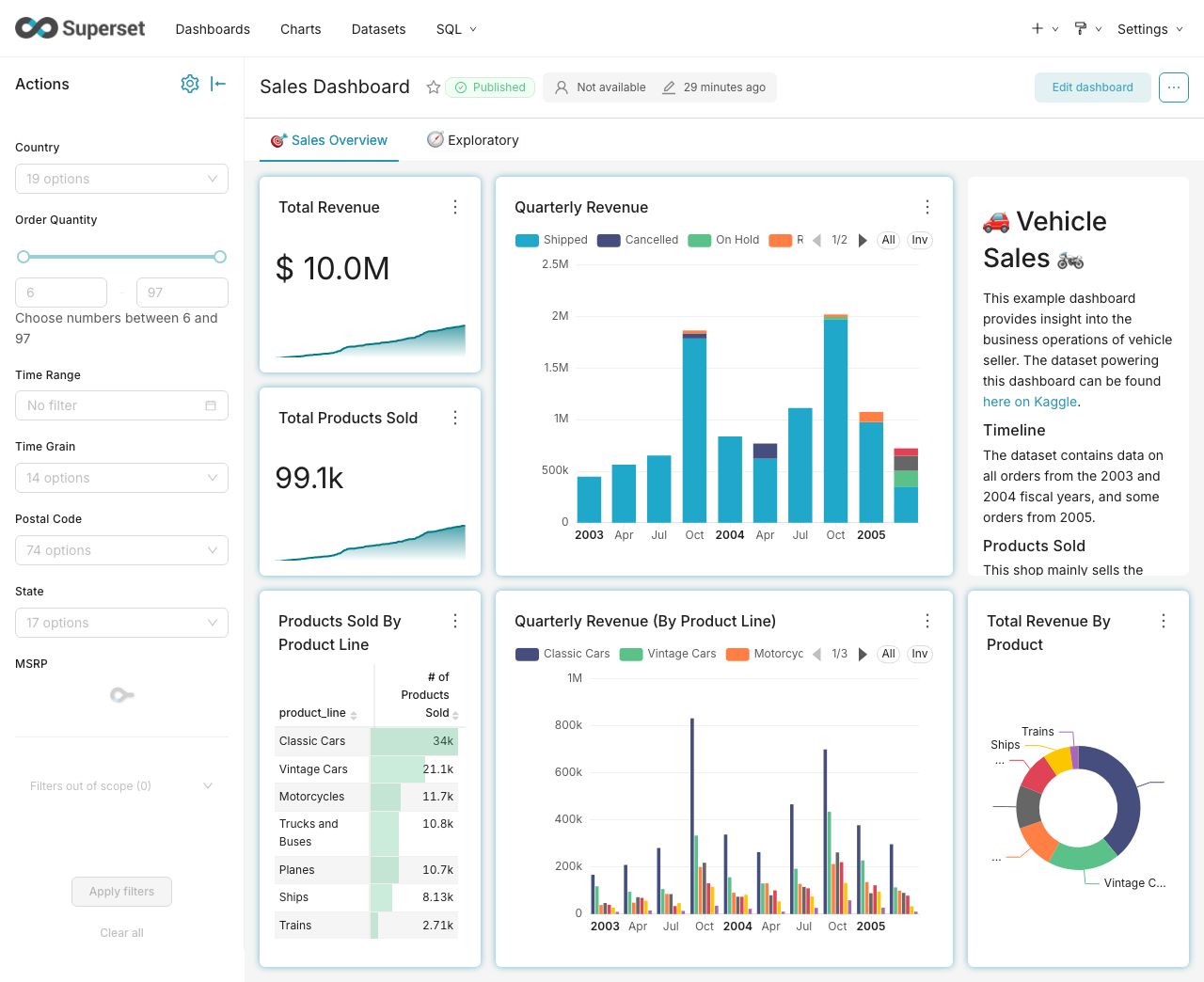
Craft Beautiful, Dynamic Dashboards
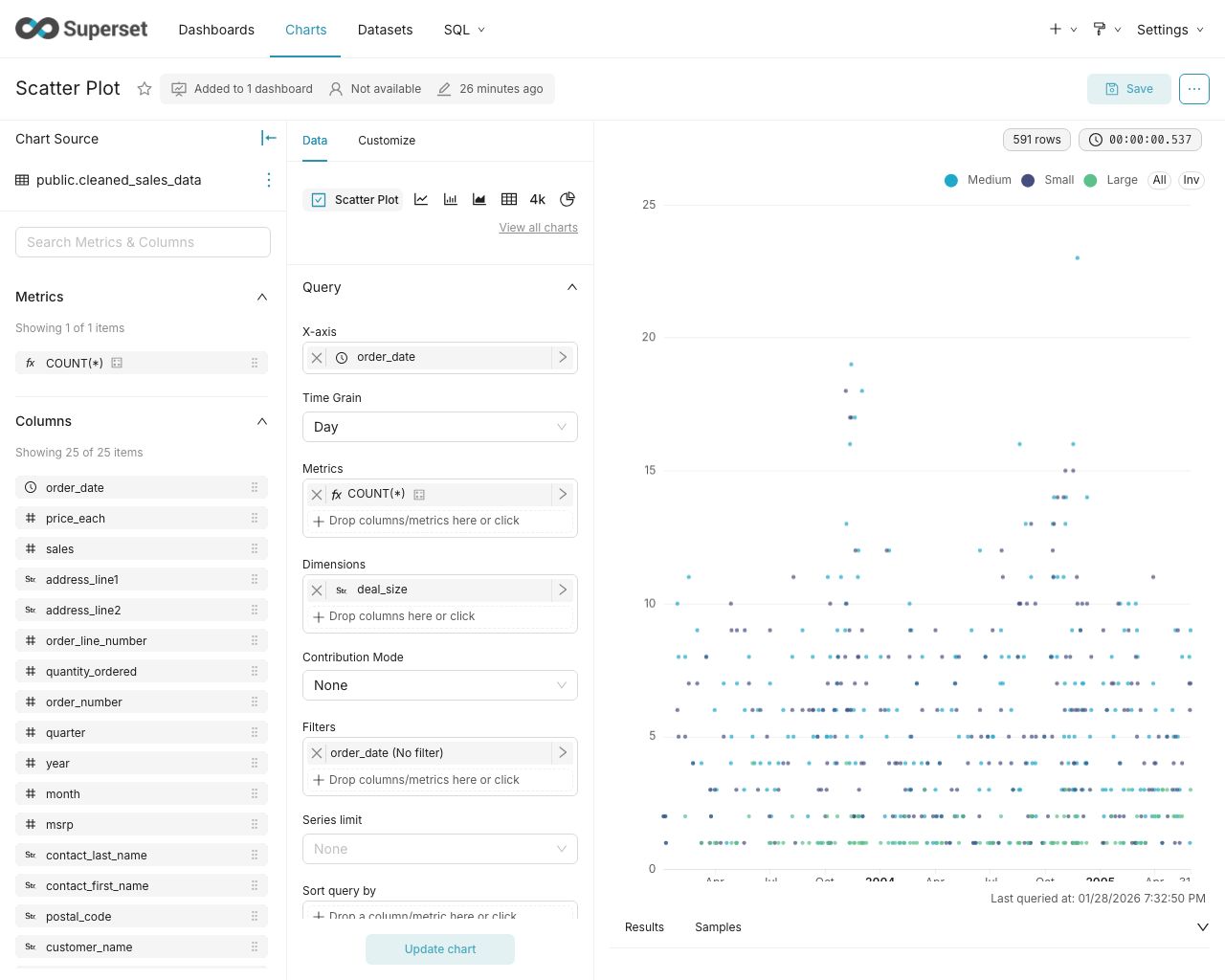
No-Code Chart Builder
Powerful SQL Editor

Supported Databases
Superset can query data from any SQL-speaking datastore or data engine (Presto, Trino, Athena, and more) that has a Python DB-API driver and a SQLAlchemy dialect.
Here are some of the major database solutions that are supported:


A more comprehensive list of supported databases along with the configuration instructions can be found here.
Want to add support for your datastore or data engine? Read more here about the technical requirements.
Installation and Configuration
Try out Superset's quickstart guide or learn about the options for production deployments.
Get Involved
- Ask and answer questions on StackOverflow using the apache-superset tag
- Join our community's Slack and please read our Slack Community Guidelines
- Join our dev@superset.apache.org Mailing list. To join, simply send an email to dev-subscribe@superset.apache.org
- Follow us on social media: X | LinkedIn | Bluesky | Reddit
- If you want to help troubleshoot GitHub Issues involving the numerous database drivers that Superset supports, please consider adding your name and the databases you have access to on the Superset Database Familiarity Rolodex
- Join Superset's Town Hall and Operational Model recurring meetings. Meeting info is available on the Superset Community Calendar
Contributor Guide
Interested in contributing? Check out our Developer Guide to find resources around contributing along with a detailed guide on how to set up a development environment.
Resources
- Superset "In the Wild" - see who's using Superset, and add your organization to the list!
- Feature Flags - the status of Superset's Feature Flags.
- Standard Roles - How RBAC permissions map to roles.
- Superset Wiki - Tons of additional community resources: best practices, community content and other information.
- Superset SIPs - The status of Superset's SIPs (Superset Improvement Proposals) for both consensus and implementation status.
Understanding the Superset Points of View
-
Getting Started with Superset
-
Deploying Superset
-
Recordings of Past Superset Community Events
-
Visualizations
